

Welcome to Glory Desk
Glory Desk is the licensed Windows desktop app from MT GLORY for stock, counter sales, purchases, and accounts. It is built for shops and growing SMEs that need one offline-first desk instead of scattered spreadsheets.
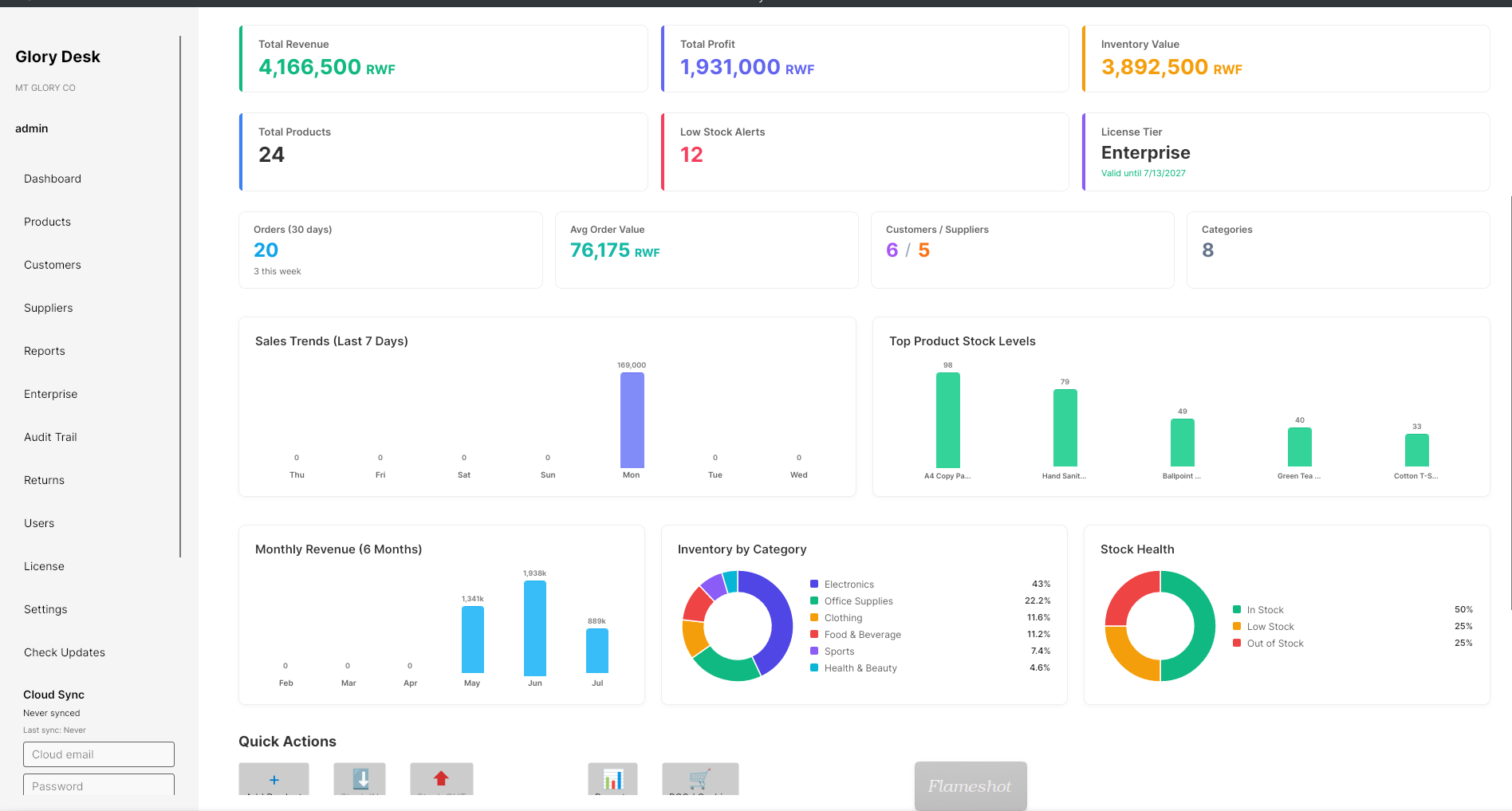
What Glory Desk helps you do
| Area | Examples |
|---|---|
| Stock | Products, quantities, locations, barcodes |
| Selling | Checkout / Cashier (POS), quotes, customer orders |
| Buying | Suppliers, RFQ, purchase orders, receiving goods |
| Money | Payments, unpaid bills, tax & bank matching, reports |
| Team | Users, roles, activity log (by tier) |
| Enterprise | Cloud sync & Enterprise Hub (Enterprise tier) |
Your business data stays on the PC by default. Internet is mainly needed for download, license activation, and optional cloud sync.
Languages
The desktop app supports:
- English
- French
- Kinyarwanda
This manual uses English screen names (for example Checkout / Cashier, Products & Stock). If you switch language in the app, match menus by position.
Who should read which pages
| You are… | Read first |
|---|---|
| Business owner | This page → Install → Activate → License tiers → First login |
| IT / installer | Install → Activate |
| Cashier | Navigating the app (then Day-to-day → Checkout when published) |
| Accountant | Navigating the app → Reports (Part 4, coming soon) |
How this manual is organised
- Getting started (this part — ready for launch)
- Day-to-day work — selling, buying, returns (coming next)
- Stock & production
- Money & reports
- Team & settings
- Website & help
Every article uses the same pattern:
- Short goal
- Before you start checklist
- Numbered Steps with exact button names
- Screenshot where it helps
- If something goes wrong
- Related links
Useful website links
| Need | Link |
|---|---|
| Product home | glorydesk.mtglory.com |
| Pricing | Pricing |
| Download | Download |
| Request a license | Activate |
| Release notes | Releases |
| Customer portal | Account login |
| Legal | Terms · Privacy · EULA |
| Support | support@mtglory.com |
Before you start this manual
- A Windows 10 or 11 PC (64-bit)
- Permission to install software
- Internet for download and license request
- Roughly which license tier you need
What success looks like
By the end of Part 1 you will have:
- Glory Desk installed from the official download
- A key activated on this computer
- Logged in and finished (or skipped) the setup wizard
- Found Dashboard, Products & Stock, and Settings in the sidebar
Next step
Go to Install on Windows and download the official installer.